Draw any system as a hand-drawn strip
Point it at a project. It reads the code, works out what happens in what order, cuts it down to 3 to 6 steps and draws them left to right: a small bird doing each step, the logo of every tool on its step, short handwritten labels. Then it looks at its own drawing and fixes what's off.
Works ifYou build with AI faster than you can explain what you built.
The system
Your project
Code, logs or docs
Whatever explains the system.
Character
A small bird per step
Doing the step with a prop.
Logos
The real tool marks
Fetched free, checked by eye.
Labels
Handwritten, 5 words max
What happens, what it means.
Example output
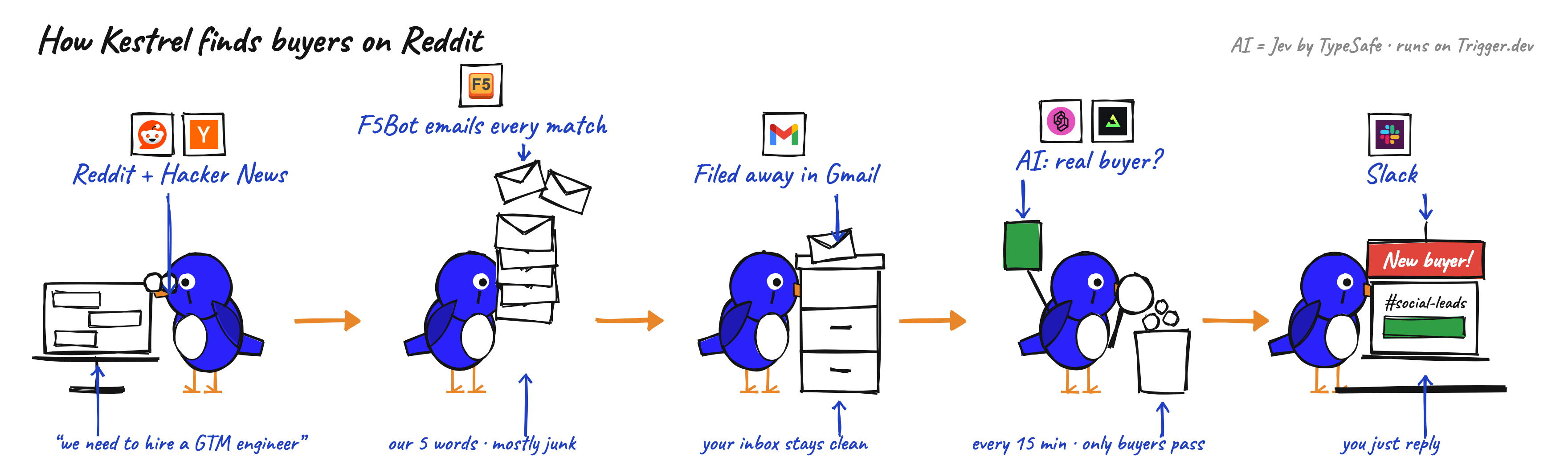
What it solves
You shipped it with AI, it works, and a week later you can't explain how.
Why it matters
A drawing forces the system into a few steps in the right order. If a step can't be drawn, it's usually the part nobody understands. The same strip explains the build to a client or teammate who doesn't code.
How it works
Read the project
Code, logs or docs. It writes every step as tool, action, result, in the order things happen.
Cut it to 3 to 6 steps
One scene per step. A top label says what happens, a bottom label says what it means. Five words max each.
Add the real logos
Each step gets the logo of the tool that does it, fetched free from the tool's own site.
Draw it, then check it
rough.js draws the strip and headless Chrome renders a PNG. It reads the PNG back and fixes arrows, overlaps and floating props.
Build notes
- The first versions were a branded infographic and a generated cartoon mascot. Both read as too much. Plain ink and one small character won.
- Labels have to match the code. "Junk in the bin" became "only buyers pass" because the system stores everything and only posts the buyers.
- Logos on each step made the strip easier to follow than any label did.
- Colour only where it means something: the result is green, a notice is red, everything else is ink.
Questions
Does it cost anything?
No image model and no credits. rough.js draws every line and the handwriting is a free Google font. The only cost is the Claude Code session that runs it.
What can I point it at?
Any system with steps: a pipeline, an onboarding flow, a CRM automation. It reads the code, logs or docs you point it at. More than six steps becomes two strips.
Can I change the character?
Yes. The bird is a function in the drawing kit. Pass another colour, or swap it for a plain bean.
The next step